Tools
FigJam
Figma
Figma Slides
Responsibilities
UX Research
Design & Prototyping
Project Management
Constraints
Designathon
8 hours
Collaborators
Mavis Lo
Sydney Bernal
Charlene Lee
Critter
An AI-powered Figma plugin to teach designers how to think instead of what to think. Using AI as a tool instead of a crutch.
Best User-Centred Design!
AI and design
We were challenged to design a solution to help students or early-career professionals use AI as a collaborator rather than over-relying on it. We needed to balance both sides of the spectrum, from those who use it to an unhealthy extent to those who completely avoid it due to ethical concerns.
How might we help students or early-career professionals use AI as a collaborator rather than a crutch?
Problem statement:
Currently, AI is becoming an increasingly important part of the design industry. With Anthropic dropping Claude Design, and Figma, Adobe, and other design software integrating it into their tools, it's become an unavoidable topic. My team and I recognized the relevance of this growth and decided to scope down to design students and early-career designers.
Identifying the problem(s)
With the speed at which big tech is evolving, designers are constantly being pushed to add AI to their skill sets, while keeping their work authentic and creative.
83%
of creative professionals have adopted AI into their working practices.
56.1%
increase of mentions of AI in design job postings. AI fluency is rapidly becoming a required skill.
Heavy AI usage is linked to reduced critical thinking, but for designers, this skill is crucial for making design decisions. So we reframed the challenge to: "How might AI assist new designers throughout the design process without compromising learning, creativity or ethics?"
Challenge
A scrapped solution and a hasty pivot
We immediately landed on an idea: an AI tool to automate the tedious organizational work in Figjam, so designers can get to thinking faster.
Then, after a Google search, we discovered JamBot, a tool in Figma solves our problem exactly.

Now, not only were we behind on time because of our lengthy interviews, but our idea itself was unviable.
After deliberation and reaching out to mentors for advice, we made the call to pivot instead of restarting. Time was ticking, and we had to adapt fast.
We still had our interviews and an understanding of the user base. We decided to comb through our results through a different lens, which yielded three new points.
Beginners design blind
New designers don't know what they don't know. Without guidance or a more experienced voice in the room, learning new skills, or even deciding what skills to learn feels daunting.
Cognitive overload
People think faster than they can type. Ideas get lost, requirements go missing, and edge cases are skipped over. Not from a lack of ability, but from not knowing what questions to ask.
Tedium in the industry standard
All interviewees spoke about Figma as their main platform for pre-design work. However, the tedious work of formatting, transferring content, and manually setting up boards takes up time that could be used for real thinking. FigJam was consistently mentioned for brainstorming and organization of research, two areas in which AI is commonly used.
A guiding hand to support across projects
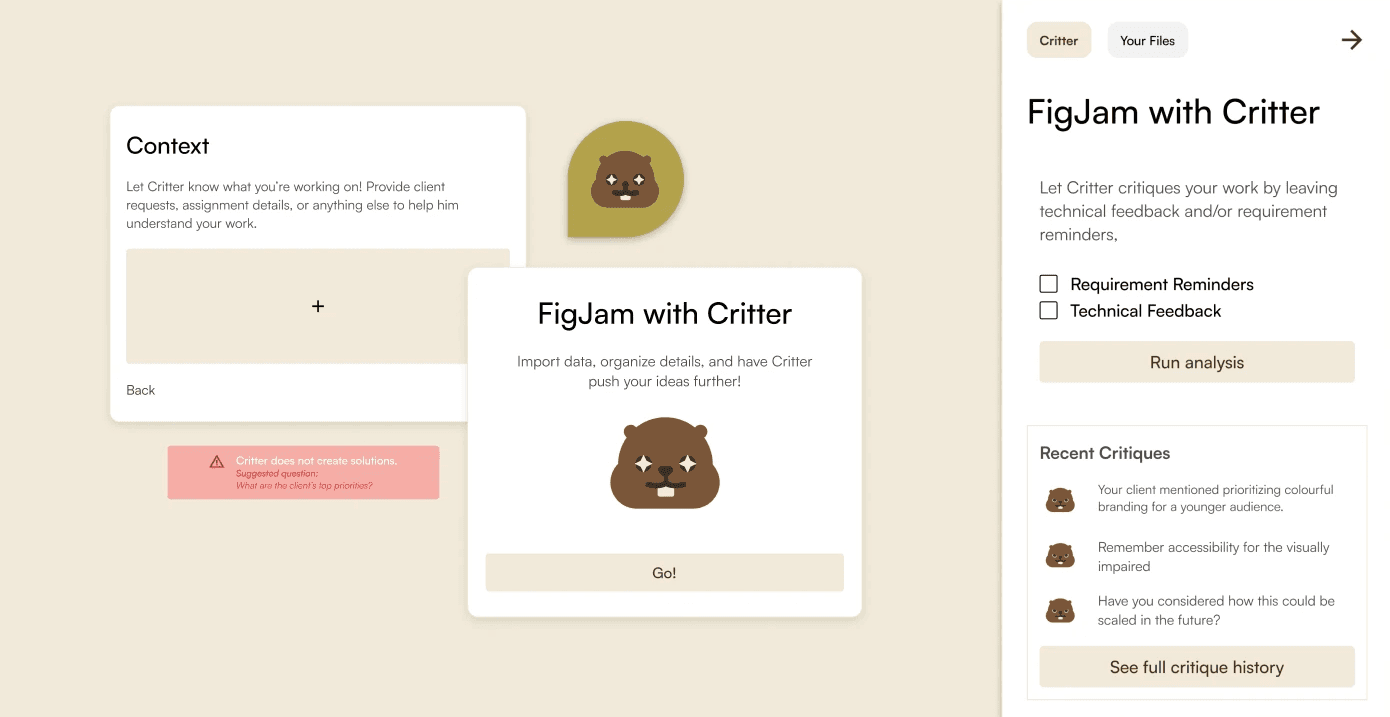
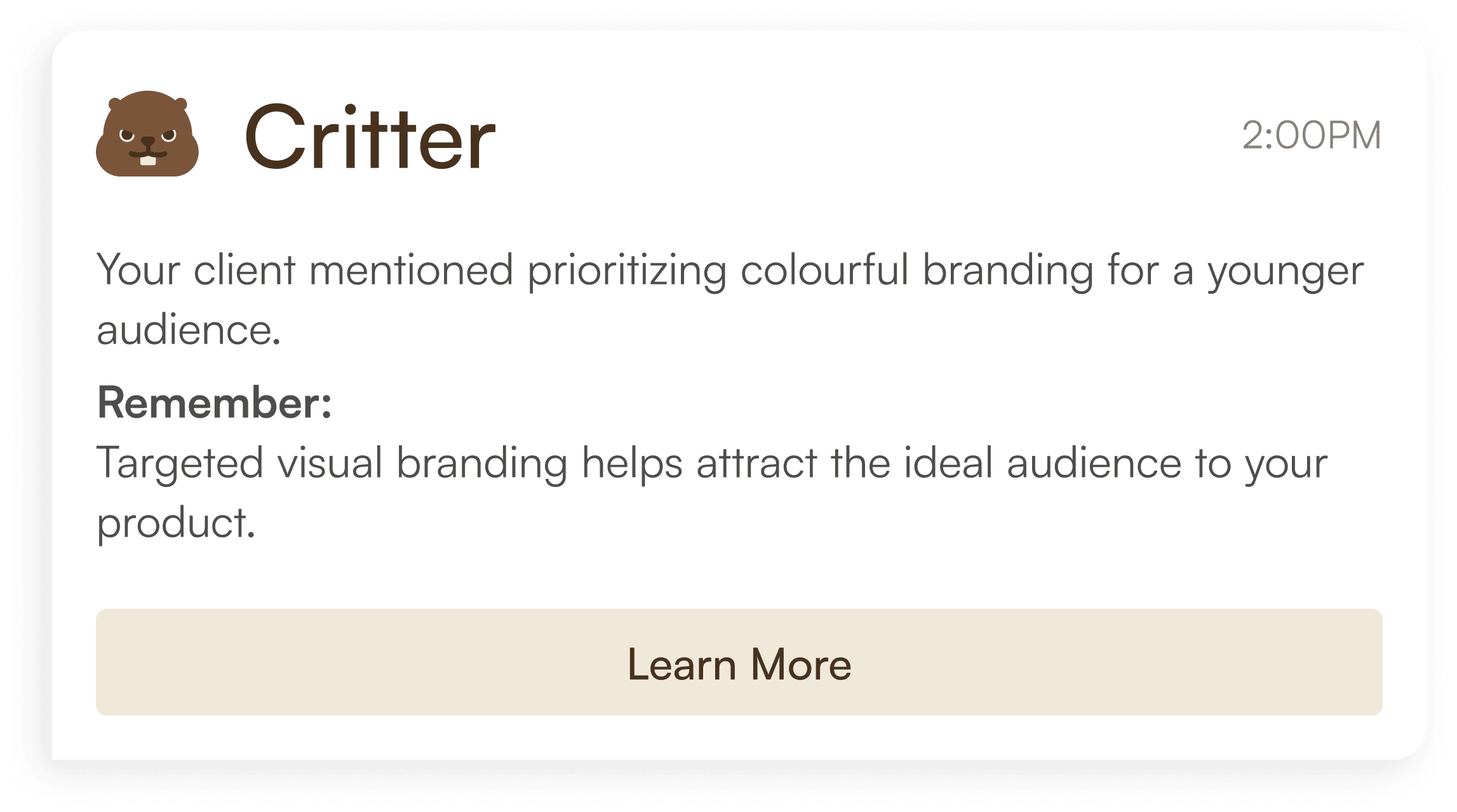
Critter is a Figma and FigJam plugin for AI-powered learning. It takes your project contexts and requirements in the form of documents, task descriptions, and imported data, and uses that information to give structured, reasoning-backed critiques using built-in Figma comments. For example, it could flag missing edge cases, overlooked requirements, and feasibility concerns, all with an explanation of why it matters.
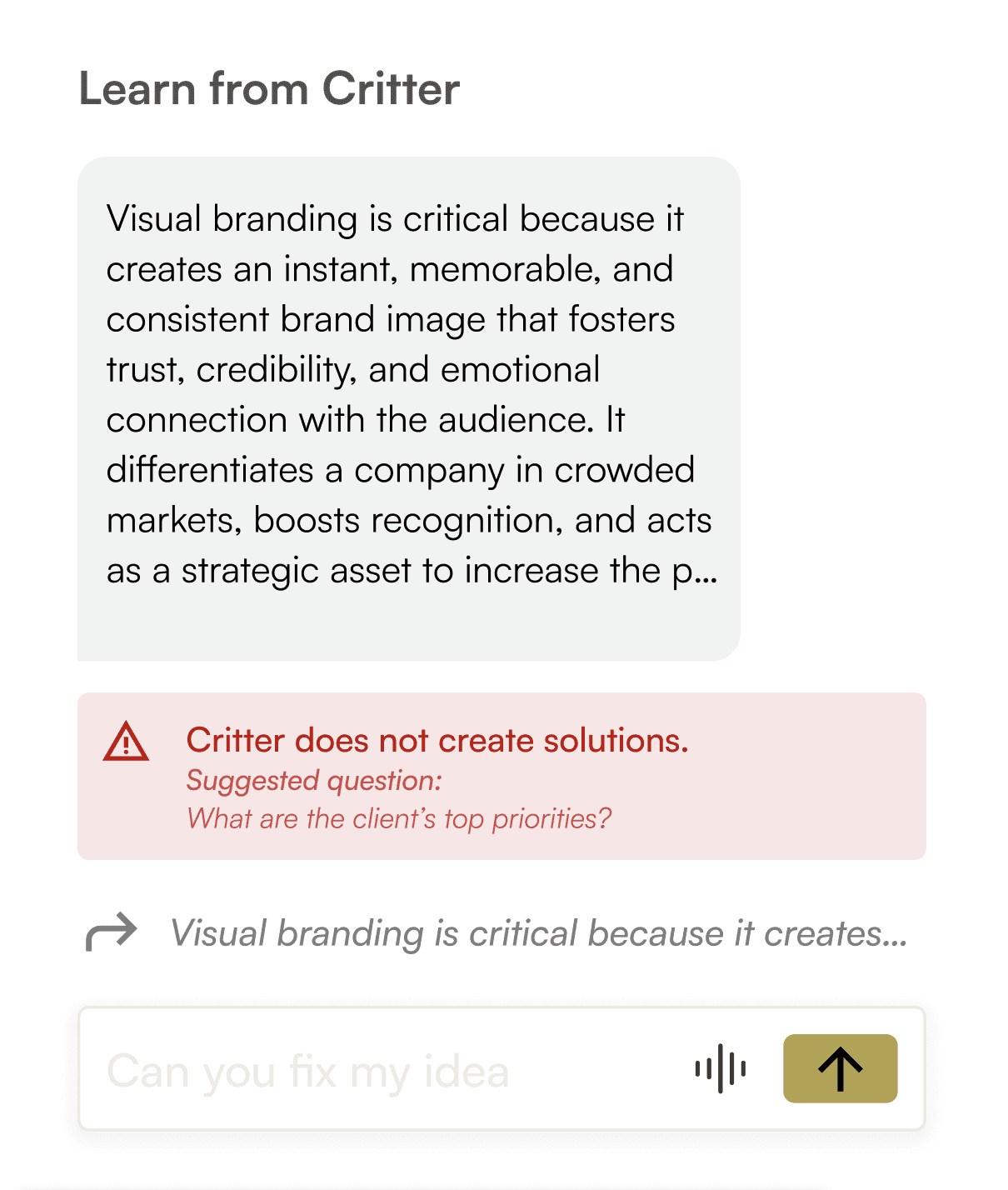
And importantly, if a user asks it to generate something, it'll refuse and instead recommend follow-up questions to ask.
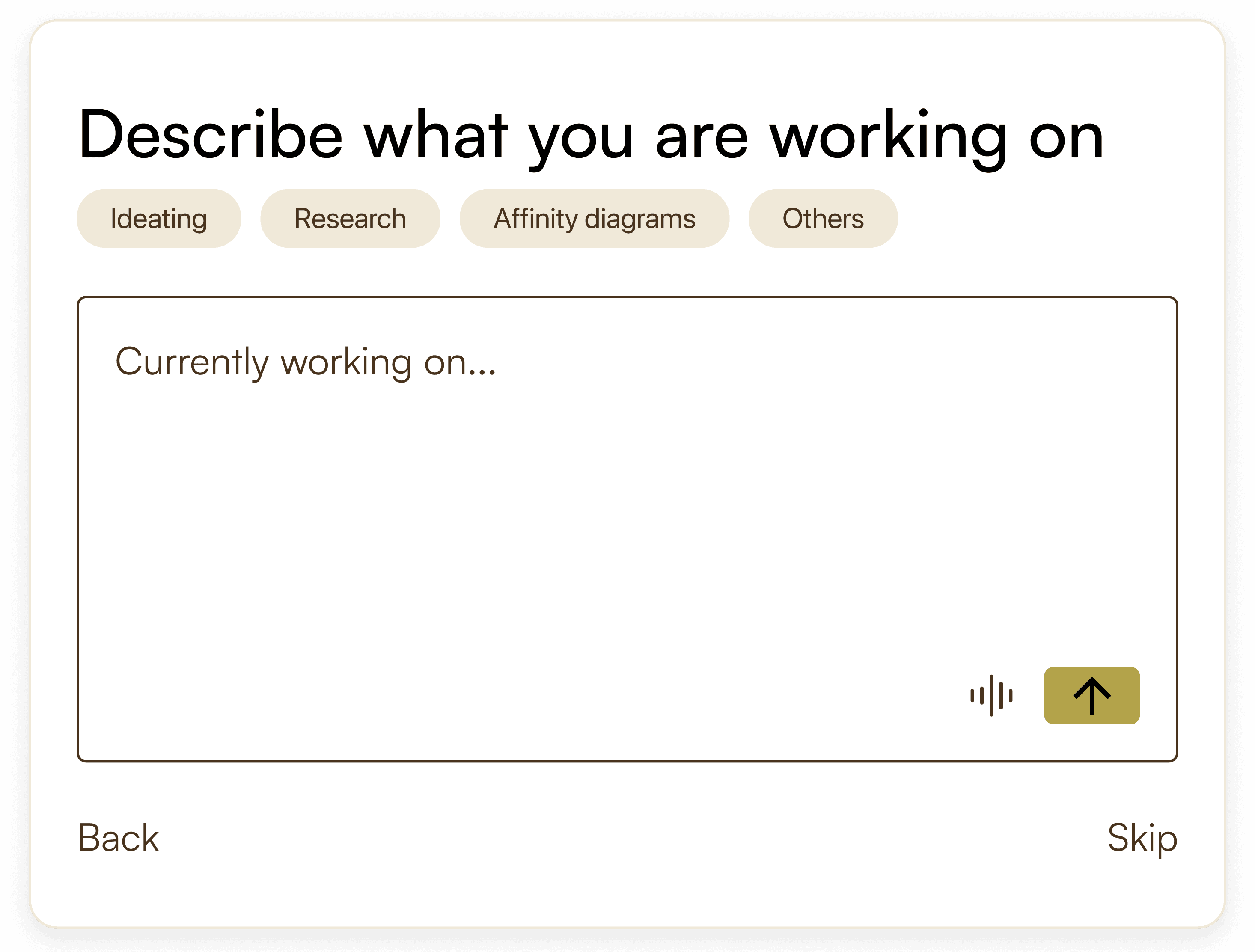
We wanted to create an onboarding that was smooth and frictionless to prevent users from getting frustrated during the experience. We iterated upon a user flow and ended up with this.
User flow
How Critter addresses its main pain points:
Beginners design blind
Critter flags gaps and explains the reasoning behind every comment. This helps designers identify weaknesses and learn, step-by-step.
Cognitive overload
You define the kind of feedback you want upfront, and Critter keeps critiques scoped so there's no unnecessary noise during workflows.
Pain Points
Tedium in the industry standard
Imported data converts into sticky notes automatically, within any template, sorted however the user wants.
We chose Figma because it has an established plugin ecosystem. This means we can integrate without forcing users to change to new behaviours. Also, the native comments feature lets us embed Critter's feedback directly into the file, keeping critique with the work rather than in a separate panel. And since Figma follows a designer from early ideation (FigJam) all the way through to high-fidelity, Critter can too.

Why Figma?
Fitting Critter into the Figma jigsaw


Sidebar layout
Critter lives in Figma's native sidebar panel rather than opening as a separate window or overlay. We decided it was crucial to keep the tool inside the designer's existing flow, to avoid overwhelm and distraction.
Emotional beavers
I designed many different emotions for the Critter mascot. These vary depending on the type of interaction, and serve the goal of making Critter feel like a helper rather than a machine.
Chatbot
The chat input is designed to look familiar, like any other common messaging interface. We decided this so that users immediately feel like they're having a conversation rather than sitting through a lecture.
Leading the UI was the part of this project I enjoyed the most. Figma's design system is very clean and minimal, so following it meant making intentional decisions. The interface had to feel like Critter, but still feel like it belonged in Figma.
Finding that balance ended up being the most interesting design problem on the project, which I explored through warm neutrals, clear type hierarchy, and spatial logic.
Key design decisions

My next steps
Because we had to pivot and were short on time, there was a lot of this project that we didn't get to fully bring to our standards. When I revisit Critter in the future, I hope to:
Conduct proper user research
We had a huge issue with time during this designathon, and because we pivoted, we had to use less-than-ideal user interviews to build a problem off of. I would love to circle back to interviews and research and learn exactly how and where a plugin like Critter would help a designer. I also learned a huge lesson: don't conduct user interviews looking to prove the need for an established idea.
Fix auto-layout, responsiveness, and interactions
Due to our race against the clock, many of our layouts, components, and prototyping have minor issues. Cleaning up the interface with help from Figma Make would bring our hi-fi into a fully functional prototype.
Build Critter for Figma
With Figma comes so much more information that needs to be displayed, such as the feedback carried over from the FigJam. But not only will building for a more complicated system be a fun challenge, I'd love to experiment with Critters design system and build a dark mode for it.